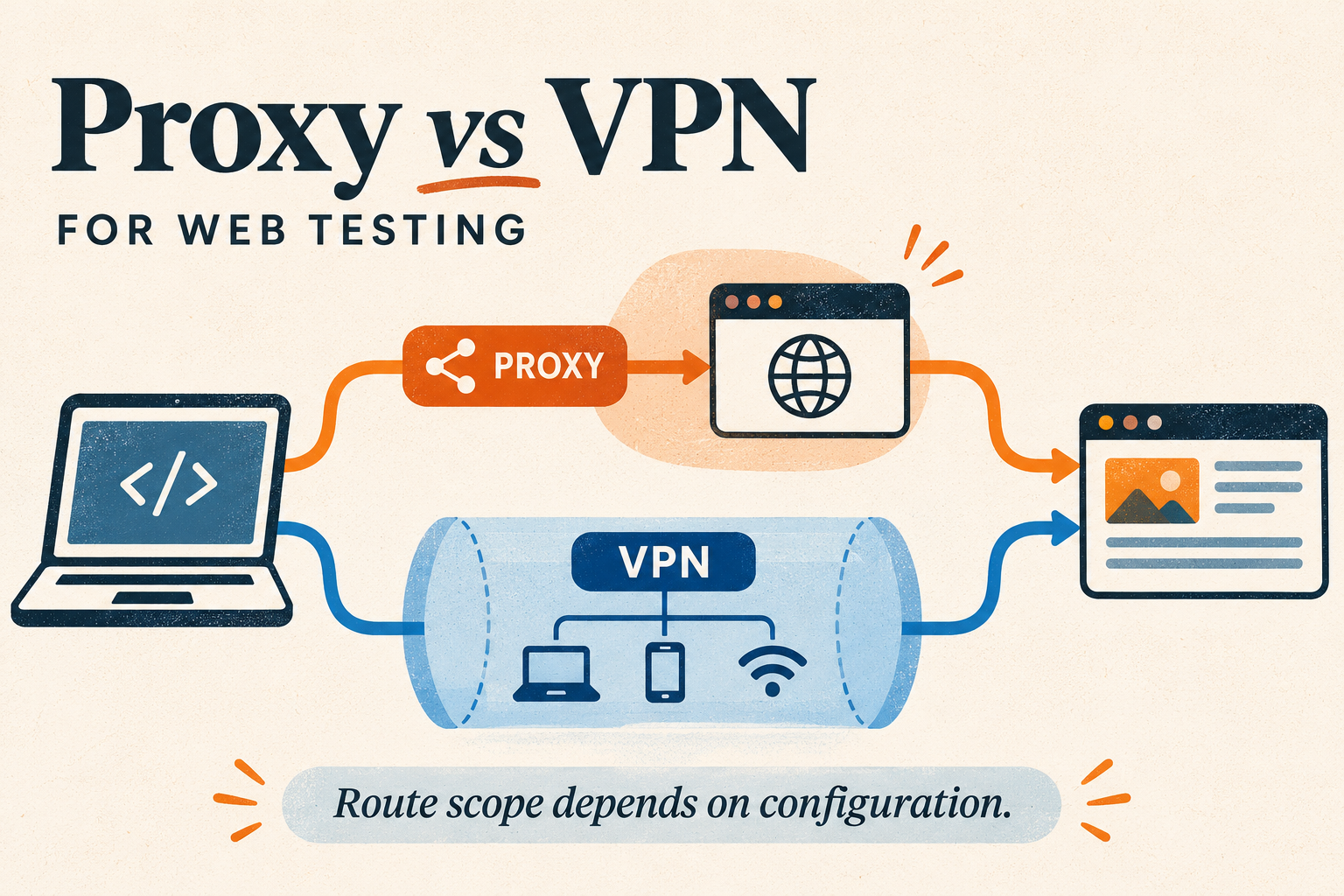
A proxy and a VPN can both change the network route a website sees, but they are configured at different layers and solve different operational problems. For web testing, the question is not which label sounds more private. It is which traffic must use which exit, how many independent test identities you need, and what has to be encrypted on each segment.
This guide focuses on authorized website QA and automation. It compares a typical application-configured proxy with a routed VPN tunnel. Both can be configured more broadly or narrowly than their defaults, so verify the effective route instead of relying on a simple slogan.
What the two routes actually do
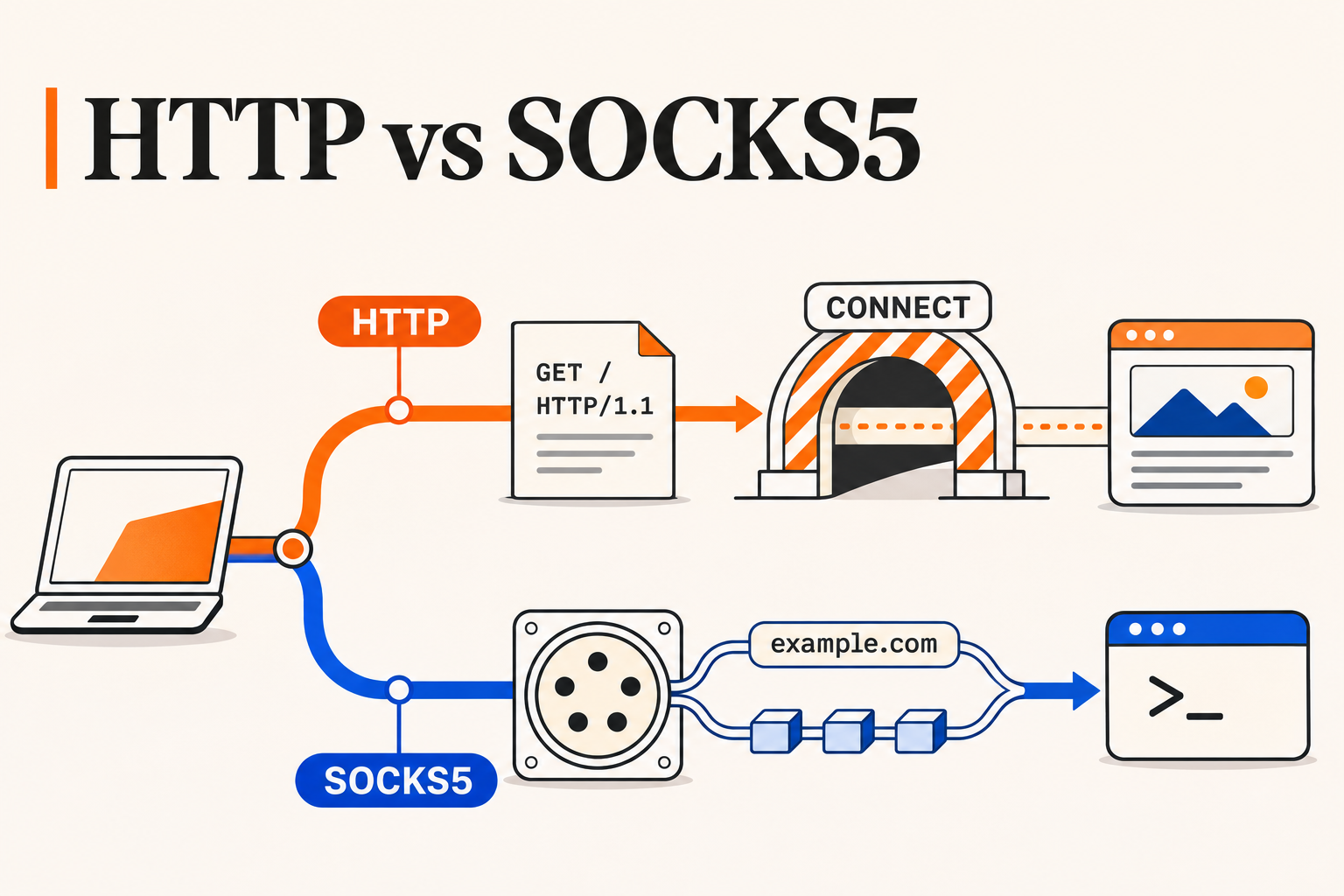
With an HTTP or SOCKS proxy, a configured application sends selected requests to a proxy endpoint, which connects onward using its exit network. For HTTPS sites through a normal HTTP CONNECT tunnel, the browser still negotiates TLS with the destination. A VPN client establishes an encrypted tunnel to a VPN gateway and routes traffic through it according to the operating-system or client routing policy. Full-tunnel and split-tunnel policies can therefore produce different results.
| Decision factor | Application proxy | VPN tunnel |
|---|---|---|
| Typical control point | Browser, automation context or HTTP client configuration. | Device/network route or VPN client policy. |
| Per-test exit isolation | Often straightforward: separate contexts can use separate proxy settings. | Possible, but multiple simultaneous exit identities usually need extra network isolation. |
| Encryption to intermediary | Depends on proxy transport; plain HTTP proxy credentials are not a secure tunnel. | VPN tunnel encrypts traffic between client and VPN gateway. |
| Encryption to website | Use HTTPS/TLS to the destination; proxy choice does not replace it. | Use HTTPS/TLS to the destination; VPN encryption ends at its gateway. |
| DNS and bypass behavior | Depends on protocol, application and bypass list; test it. | Depends on tunnel routes, DNS settings and split-tunnel policy; test it. |
| Useful starting point | Several independent browser/region checks in one runner. | Remote access to an organization network or one managed route for a device. |
Three common testing scenarios
One browser suite, several regions
A proxy is usually the simpler starting point when independent Playwright contexts need different regional exits. Playwright's network documentation supports a proxy for the browser or per context. Keep browser locale, timezone, account and cookies aligned with each test case; an exit IP alone does not make the entire browser appear local. Our Playwright proxy setup guide covers the configuration details.
A tester needs a private corporate environment
A VPN can be a natural fit when the task is reaching internal staging systems or applying a managed device route. Confirm whether the tunnel carries only private subnets or all outbound traffic. A successful internal connection does not prove that an external website sees the VPN gateway's IP.
Both routes are present
If an application proxy runs while a VPN is connected, the application may connect to the proxy through the VPN, while the target site sees the proxy exit. DNS, bypass rules and failover can alter that path. Draw the intended route and test it; layering the two services is an architecture choice, not an automatic privacy upgrade.
Check the full path, not just the apparent IP
Run one direct baseline, one VPN-only test and one proxy-only test using the same authorized target. For each, record the observed public IP, region, final URL, expected page element, DNS behavior where observable, and whether bypassed domains stay on the intended path. With a proxy, test both the target page and subresources relevant to the workflow. With a VPN, verify the route table and split-tunnel settings. Repeat after a disconnect/reconnect because a fail-open route may change silently.
Keep certificate validation enabled. An HTTPS destination protects application data across the web connection; the protection of the client-to-proxy segment depends on proxy transport. A VPN secures the client-to-gateway segment, but the gateway-to-site leg still requires HTTPS if end-to-end web confidentiality matters. Neither tool prevents a website from identifying a signed-in account or browser fingerprint.
Choose by operational requirement
| Requirement | Start with | Confirm |
|---|---|---|
| Many isolated browser contexts with distinct regions | Per-context proxy | Exit IP, context isolation, locale and content validity. |
| Access to a private staging network | Organization VPN | Allowed subnets, routes, DNS and access controls. |
| One managed egress path for a test device | VPN or system-level proxy, depending on IT policy | Which apps and domains actually use that path. |
| Sensitive web test over public networks | HTTPS to target plus a vetted intermediary transport | TLS certificate validation and each segment's trust boundary. |
Price comparisons should use the same definition: a VPN subscription and a metered proxy service are not interchangeable units. For automation, compare the cost per valid region-specific result, setup effort, failure diagnosis and concurrency needs. Do not assume proxies are universally faster or VPNs always slow; routing and workload determine the result.
Where IP Fist fits
IP Fist documentation describes proxy authentication, geographic options and session handling. Its proxies fit the application-egress side of this comparison when test cases need configurable exits. Use the exact plan endpoint and verify its region and session behavior. IP Fist's proxy products are not a replacement for a corporate VPN when the goal is access to a private network.
Frequently asked questions
Is a proxy always less secure than a VPN?
That claim is too broad. The client-to-intermediary transport, target HTTPS connection, provider operation and use case all matter. A VPN encrypts its tunnel, while a proxy may also support encrypted transport; inspect the actual configuration.
Will a VPN change every application's public IP?
Only if the routing policy sends those applications and destinations through the tunnel. Split tunneling and exclusions can leave traffic on the original path.
Can Playwright use different proxies at once?
Playwright documents browser-level and context-level proxy settings. Validate the behavior in the browser version, environment and provider plan you deploy.
Sources and verification scope
The comparison follows the official Playwright network guide, WireGuard documentation, Cloudflare's tunneling explainer and cURL proxy TLS guidance. Product statements come from IP Fist docs. This is a configuration decision guide, not a live benchmark or a claim of anonymity.